⚡ WAIT! YOUR ORDER IS NOT COMPLETE YET ⚡
This Special One-Time Offer Disappears When You Leave This Page
🎉 CONGRATULATIONS ON GETTING KDPEASY STORY COMPOSER!
“From 14 Upscaled Images To A Finished
Picture Book In 5 Minutes Flat —
Without Ever Opening Canva Again”
Your GPT writes the story. ChatGPT Image draws it.
The Upscaler makes it print-perfect at 300 DPI.
But Phase 3 still demands 30 minutes of manual Canva work —
positioning every image, formatting every text panel,
fighting drop caps, double-checking bleed.
This is how you delete Phase 3 from your workflow entirely.
✅ 4 Professional Picture-Book Layouts (Mix & Match Per Page)
✅ Auto KDP Bleed + Gutter Baked Into Every Page
✅ 4 Pre-Paired Fairy-Tale Font Themes (No Typography Guessing)
✅ Skip Canva Entirely — Save 25 Minutes Per Book
Here's What You Didn't Know About Phase 3...
Enchanted Tales Creator gives you the story. ChatGPT Image creates the illustrations. The Upscaler delivers 300 DPI print quality.
But Phase 3 — turning those 14 illustrations into a finished picture book — is where many creators quietly lose half their afternoon.
🔴 PHASE 3 CAN EASILY BECOME 30 MINUTES OF MANUAL CANVA WORK
14 pages × ~2 minutes per page
= nearly 30 minutes spent placing images, formatting text, adjusting margins, and checking layouts.
The “60-minute Enchanted workflow” can quickly turn into:
30 minutes creating
-
30 minutes fighting with Canva
🔴 CANVA WASN’T BUILT SPECIFICALLY FOR PICTURE BOOKS
Bonus #2’s Canva Studio Kit shows you the process…
But you’re still doing everything manually:
• Create documents
• Configure bleed settings
• Set safe zones
• Build drop caps
• Align decorative elements
• Repeat the process page by page
🔴 DROP CAPS REQUIRE TYPOGRAPHY WORKAROUNDS
Professional picture books often use beautiful drop caps to anchor opening pages.
Canva doesn’t support them natively.
Which means creating extra text boxes, adjusting spacing manually, and hoping the alignment stays consistent throughout the book.
🔴 ONE MARGIN ERROR CAN AFFECT THE ENTIRE BOOK
KDP requires:
0.125″ bleed
and roughly 0.375″ gutter space near the spine.
Set these incorrectly and you risk:
• White edges after trimming
• Text disappearing into the binding
• Layout issues that only appear after printing
Beautiful stories deserve more than endless Canva busywork.
Picture book layout deserves a workflow built specifically for picture books.
Introducing the KDPEasy Story Composer
The Story Composer replaces Phase 3 entirely — turning a 30-minute Canva session into a 5-minute paste-and-click.
After you’ve upscaled your 14 illustrations, simply drop each image into the Composer along with the matching story text generated by your GPT.
Choose a layout.
Choose a font theme.
Done.
Each page is automatically built with:
✅ 4 professional layout styles
(Image Top · Image Left · Full-Bleed · Oval)
✅ 4 hand-paired font themes
(Classic Fairy Tale · Modern Children’s · Whimsical Handwritten · Bold Adventure)
✅ Authentic drop caps for chapter openings
(automatically enabled for Page 1, optional on every other page)
✅ Decorative ornate frames with gold star accents
(or choose Thin Border, Double Border, or No Border for a cleaner look)
✅ Smart text overlays that automatically complement the scene
(warm palettes for sunny meadows, cool palettes for nighttime scenes)
✅ Automatic KDP bleed (0.125″) and gutter spacing (0.375″) on every page
✅ Export as a print-ready PNG ZIP package, ready for KDP upload
Same Enchanted story.
Same character DNA.
But Phase 3 drops from 30 minutes to just 5.
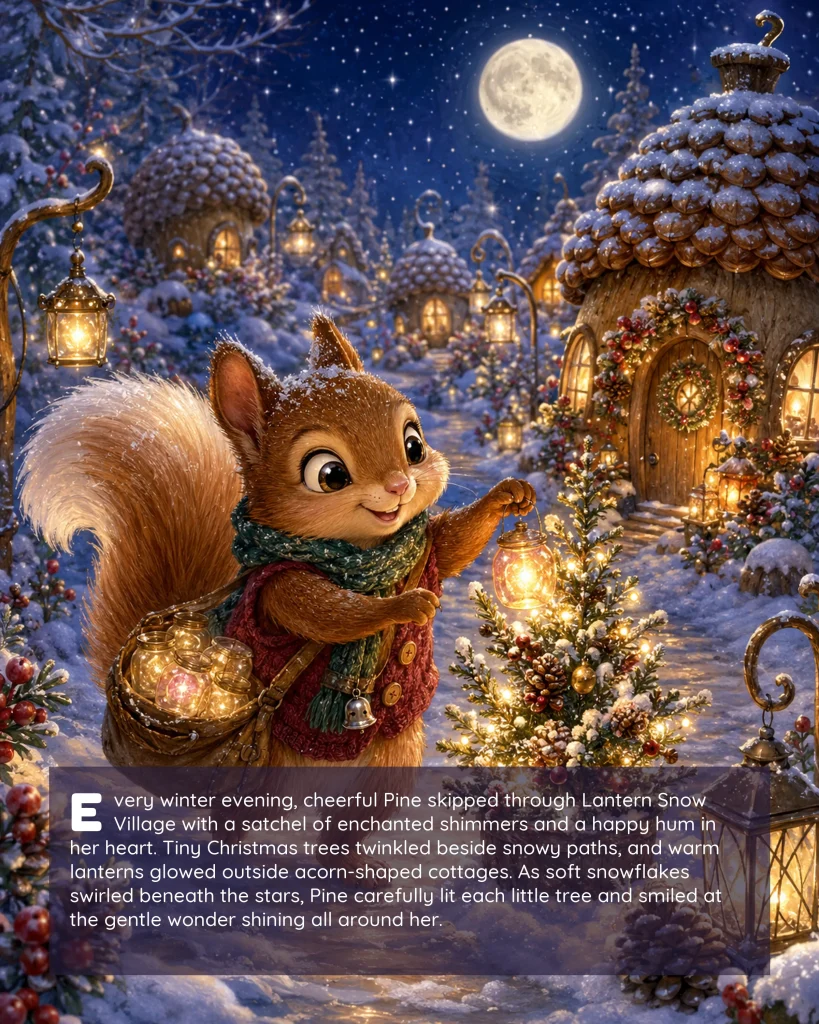
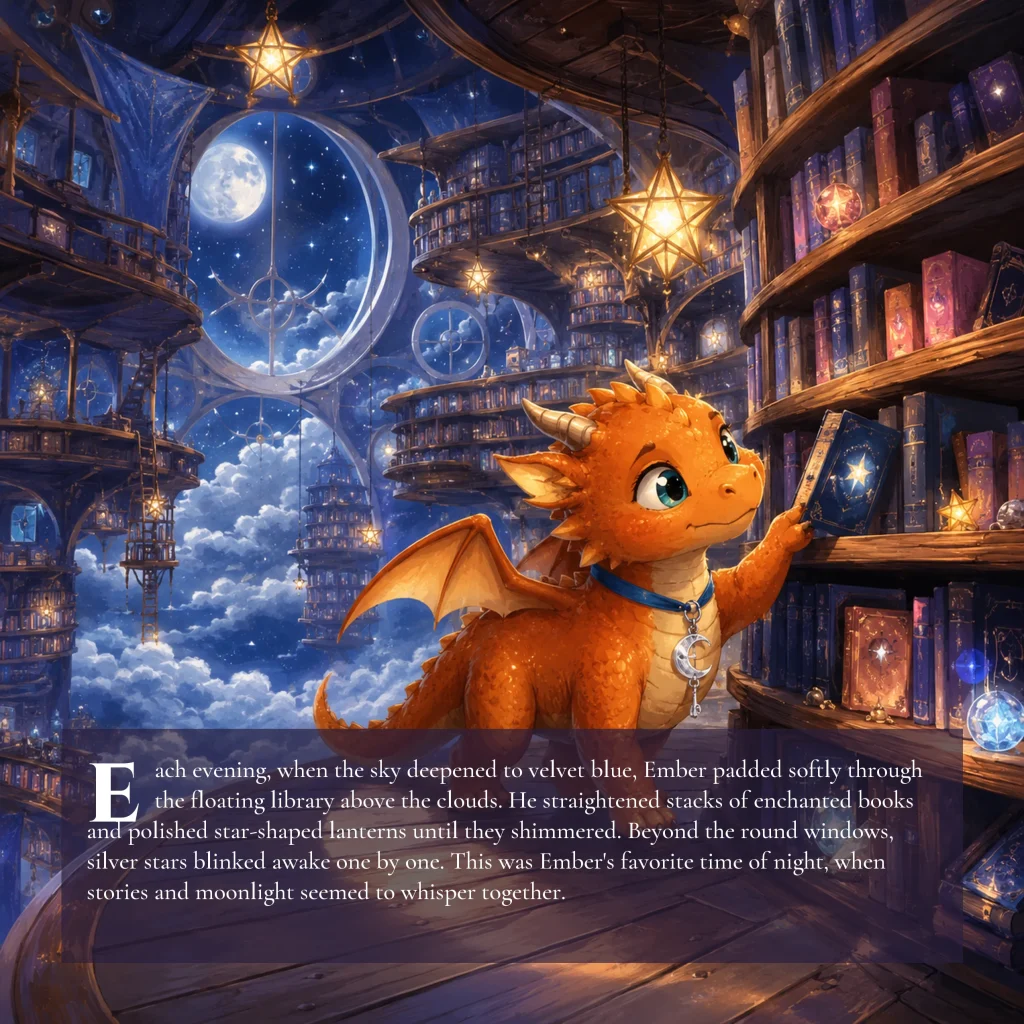
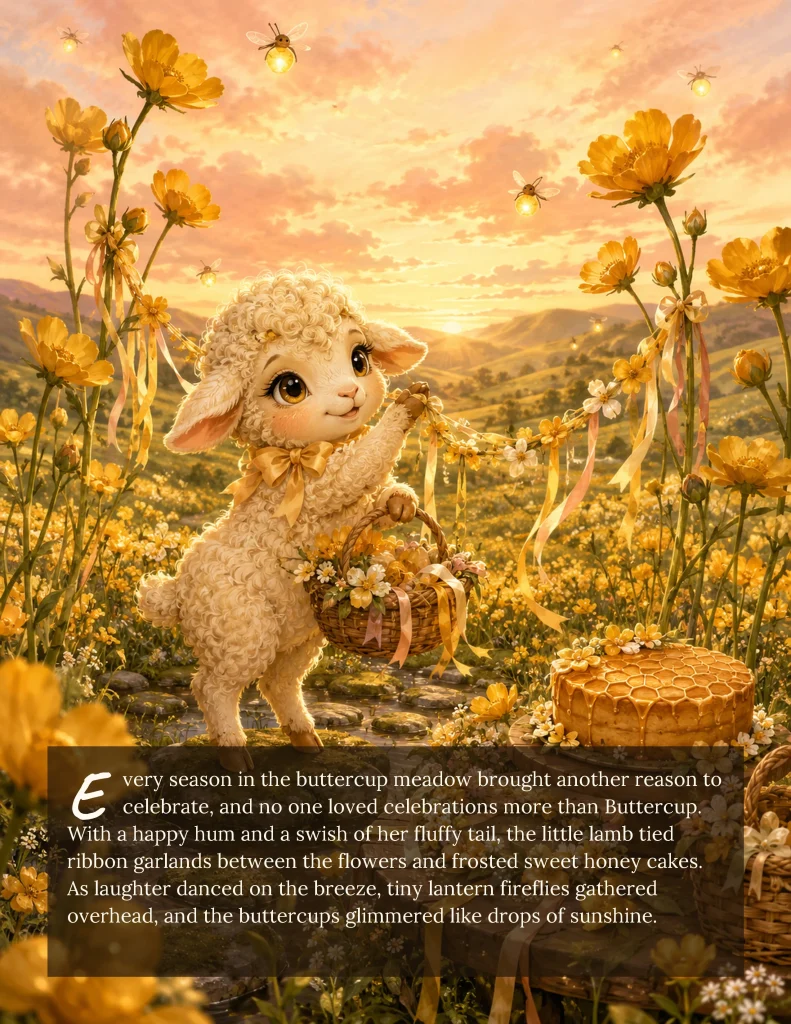
Here's The Math That Makes The Composer A No-Brainer.
Let’s say you publish 5 Enchanted books per month.
Without the Story Composer…
Your Phase 3 workflow looks like this:
5 books × 28 minutes in Canva
= roughly 2 hours and 20 minutes every month spent on repetitive layout work.
And that’s before:
• Fixing the inevitable bleed issue
• Re-aligning a drop cap that shifted on page 7
• Tweaking margins one more time
• Double-checking everything before export
With the Story Composer
($37 Today · Lifetime Access)
5 books × 5 minutes
= only 25 minutes per month
Time saved every month:
~1 hour and 55 minutes
At a modest $30/hour freelance value, that’s about $58 saved every month in labor alone.
Which means you can recover the $37 investment in less than three weeks.
After that, every Enchanted book benefits from:
✅ Phase 3 becomes the fastest part of your workflow
✅ Consistent professional layouts across every book
✅ No worries about bleed or gutter mistakes
✅ Authentic picture-book drop caps without typography hacks
✅ Unlimited books and unlimited pages for life
You stop being a Canva designer.
You stay a picture book author.
⚠️ Important: This $37 Price Is ONLY Available On This Page
If you leave this page without adding the Story Composer today, you’ll pay the regular price of $67 later.
Why?
Because this special $37 launch price is available exclusively to new Enchanted Tales Creator customers — right at the moment when you’re preparing to assemble your first picture book.
After today, the Story Composer will be offered separately at its full $67 price.
This isn’t a countdown gimmick.
It’s simply how we’ve structured the offer to reward customers who choose to streamline their workflow from the very beginning.
By clicking the button below, you save $30 instantly.
And more importantly, you eliminate the most repetitive part of the picture-book creation process.
Story creation stays creative.
Layout becomes automatic.
🎁 PLUS — Today Only: Free Bonus Included
KDPEasy PDF Builder ($47 value · YOURS FREE)
The companion tool that takes your Story Composer PNGs and assembles them into one print-ready PDF — in a single click, with KDP bleed and page size auto-detected.
Yes, you could do this manually in Canva or use an online PNG-to-PDF converter.
But why?
When the PDF Builder takes the chain from “14 finished pages” to “1 KDP-ready file” in 30 seconds — without you opening another app.
Frequently Asked Questions
Do I still need Canva after this?
What about Bonus #2 Canva Studio Kit — was that wasted?
Can I really make a 14-page book in 5 minutes?
Will my books look samey if I always use the Composer?

Try it. Generate your first book. Read all 4 bonus guides. If it’s not the most thoughtful picture book system you’ve used — email daodinhthe1989@gmail.com within 30 days. We refund 100%. You keep the bonuses.

If you have any questions or need a hand with anything, feel free to drop me a message at daodinhthe1989@gmail.com — I’m always happy to help!
All the best,
Important Disclaimer
This site is not endorsed by Google, Facebook, or YouTube. All trademarks belong to their respective owners.
Results are not guaranteed. Outcomes depend on individual effort, experience, and external factors beyond our control.
No income or performance claims are made. This content is provided for educational purposes only.
You are fully responsible for how you apply the information and any results that follow.
Any examples or testimonials shown are not typical and should not be considered a promise of similar results.
Our 30-day guarantee reflects confidence in the product, not a promise of outcomes. Refunds are honorable according to the stated terms.